Affinity
Affinity represents the bond between you and a specific character. As you raise your affinity with a character, you unlock perks such as rolling aliases for their cards.
Checking Affinity
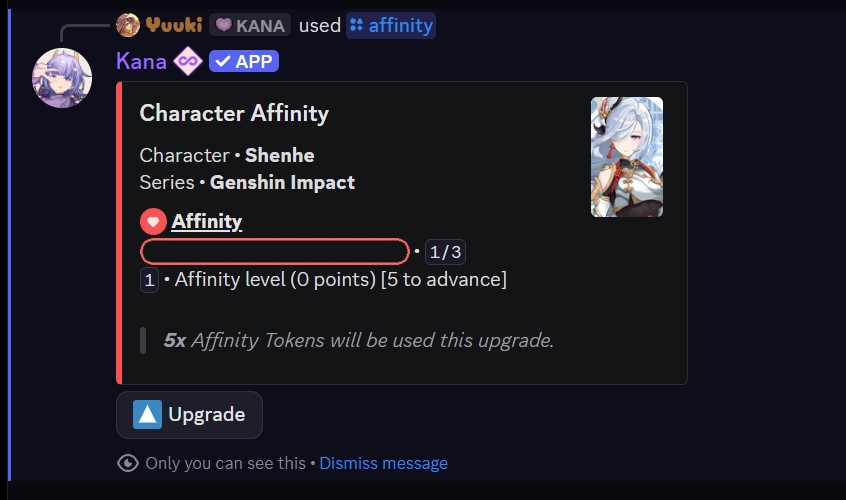
Use the [p]affinity [afy] command to view your affinity with a character. If more than one character matches your search, you can pick the right one from the results.
- Command:
[p]affinity <character name> - Alias: [
afy] - Parameters:
<character name>- A partial or full character name, series name, or both.
Affinity has three levels. Your progress toward the next level is shown as a bar, along with how many Affinity Tokens the next upgrade will cost.
Affinity with a character stays locked until you own at least one copy of that character. Grab or trade for one of their cards first.
Leveling Up
From the affinity view, press the Upgrade button to spend Affinity Tokens and advance to the next level. Each upgrade consumes the number of tokens shown for that step. Level 3 is the maximum.
Reaching Affinity Level 2 with a character unlocks the ability to roll aliases for their cards.
Listing Your Affinities
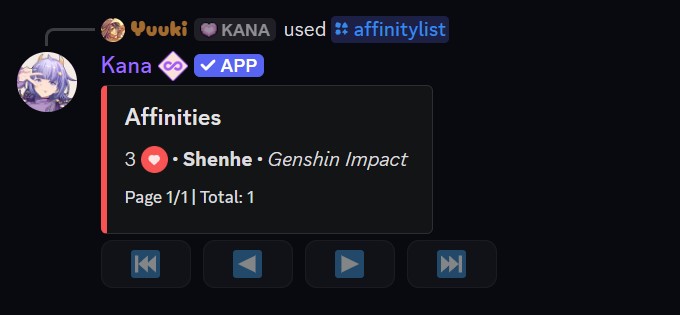
Use [p]affinitylist [afl] to see all the characters you currently have affinity with.
- Command:
[p]affinitylist - Alias: [
afl] - Parameters: None