Wishlist
Users can maintain a wishlist of up to 10 characters. A wishlist channel can also be set, where the bot will ping users when a character on their wishlist is about to drop in said channel.
Character Wishlist
The amount of wishlists a character has is indicated by the ❤️ emoji when using different commands. This value affects a character's Mastery Rank.
View wishlist
You can view your wishlist using the [p]wishlist [wl] command.
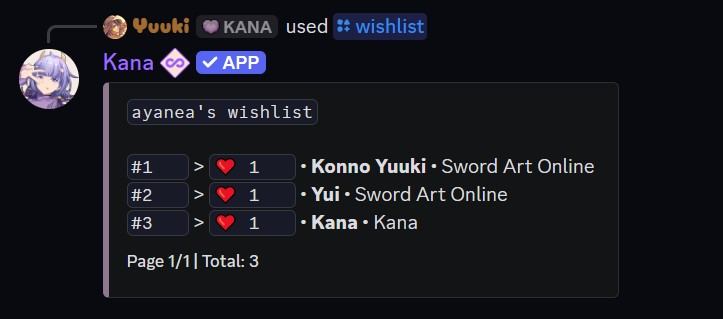
Only registered, unrestricted users with no privacy settings enabled for this command can have their wishlist viewed.
- Command:
[p]wishlist - Alias: [
wl] - Parameters:
- (Optional)
<user>- View another user's wishlist by mentioning them or using their user ID.
- (Optional)
Add to wishlist
You can add characters to your wishlist using the [p]wishlistadd [wa] command. A character can only be added once at a time.

- Command:
[p]wishlistadd <name> - Alias: [
wa] - Parameters:
<name>- A partial or full character, series name or both.
You can only add up to 10 characters to your wishlist, and you must set a wishlist channel to receive notifications.
Remove from wishlist
You can remove characters from your wishlist using the [p]wishlistremove [wr] command.

- Command:
[p]wishlistremove <name> - Alias: [
wr] - Parameters:
<name>- A partial or full character, series name or both.
Set/unset wishlist channel
You can set a wishlist channel using the [p]wishlistset [ws] command. Run it in the channel you want to use, and that channel becomes your wishlist channel. The previous wishlist channel will be replaced by the new one. You can only have one wishlist channel set at a time. If used in the same channel twice, it will unset this option.


- Command:
[p]wishlistset - Alias: [
ws] - Parameters: None. Run the command in the channel you want to set as your wishlist channel.
A channel must be set in order to receive notifications when a character on your wishlist is about to drop.