Privacy
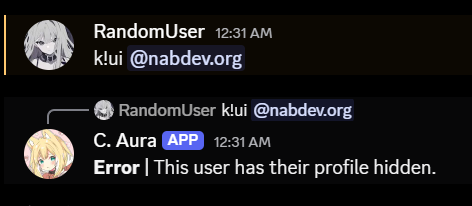
The privacy settings allow you to control what information other users can see about your profile and collection. Each setting can be toggled on or off - when enabled, that information is visible to others; when disabled, it remains private.
Applying a Privacy Config
Use the [p]privacy command to configure your privacy settings. This command opens an interactive menu where you can toggle each privacy setting on or off.
Usage
- Command:
[p]privacy - Parameters: None
Privacy Settings List
| Privacy settings | Description |
|---|---|
| User Info | Show your profile statistics and basic information to other users. |
| Collection | Show your card collection to other users. |
| Tag List | Show your custom card tags to other users. |
| Wishlist | Show your wishlist to other users. |
| Leaderboard | Show your rank in the global leaderboard to other users. |
| Mastery Info | Show your mastery level and collection progress to other users. |
| Inventory | Show your item inventory (items, frames, and gold) to other users. |
| Black Market | Show your name when you are the top bidder on black market auctions. |
tip
Use the paginator to navigate through all available settings.
note
Only registered, unrestricted users can configure their privacy settings.