Item Shop
The item shop is where you buy consumable items with your currencies. It is separate from the player-driven Bazaar, where prices are set by other players.
Browsing the Shop
View everything on offer with the [p]itemshop [is, shop] command. Each entry shows the item, a short description, and its price.
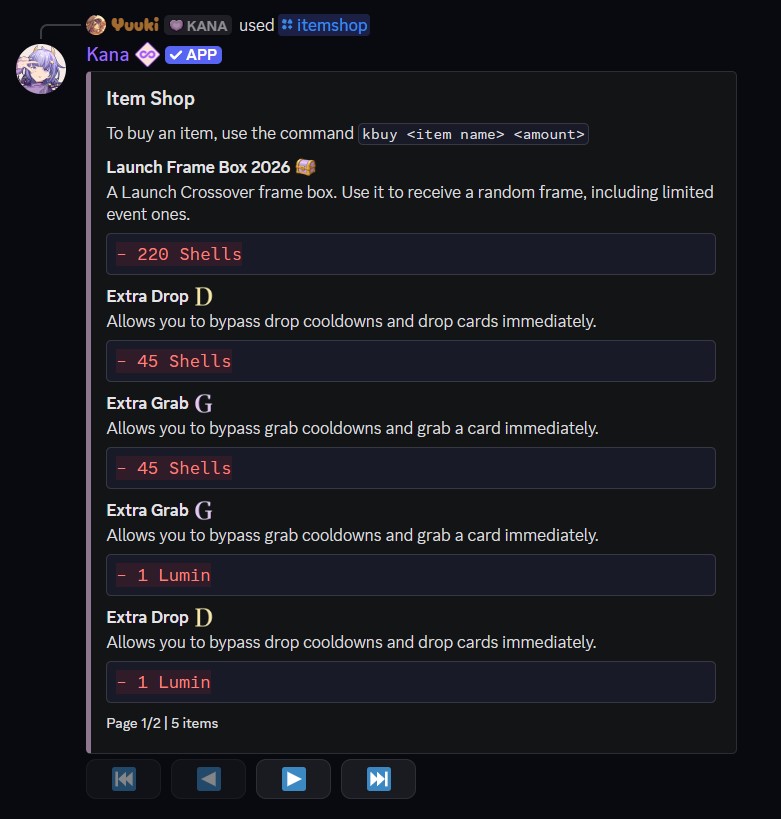
Usage
- Command:
[p]itemshop - Alias: [
is,shop] - Parameters: None
Current Stock
| Item | Price |
|---|---|
| Extra Grab | 1 Lumin |
| Extra Drop | 1 Lumin |
| Shade Roll | 10 Ashes |
| Mirror Swap | 150 Rubies |
Buying Items
Purchase an item with the [p]buy command. Kana searches for the item by name, then asks you to confirm the total cost before charging you.
Usage
- Command:
[p]buy <item name> [amount] - Parameters:
<item name>- The item to buy. Partial names work.- (Optional)
[amount]- How many to buy. Defaults to 1.
For example, [p]buy grab 3 buys three Extra Grabs, and [p]buy shade roll buys a single Shade Roll.
note
You must be registered and verified to buy from the shop, and you need enough of the required currency to cover the full amount.
tip
Premium currency (Rubies) is purchased on the website at kana.gg/shop.